
The Non-Technical Guide to Building Agents
Six agents to build for yourself. Three to sell to clients. Zero code required.

You’ve wanted to build an agent for months. You’ve watched the tutorials.
You’ve read the threads. Maybe you even started OpenClaw at least once, hit the setup wall, and closed the tab.
The technical part was one problem. n8n. Webhooks. JSON schemas. API keys (what are these anyways?) you don’t want to misplace.
The security part was the bigger one. Unleashing something you downloaded with full access to your computer into the internet, no thanks.
So you keep reading. You keep watching. You don’t build.
That stops here.
Hyperagent is the agent builder from the Airtable team. You chat with it. It does the work. When a thread does something useful, you turn it into an agent that runs on its own.
By the end of this article you’ll know what an agent actually is, the six you should build for yourself, and three business ideas you can spin up and sell to clients.
Quick note. Every Hyperagent link below is my referral. Use it and you start with an incredibly generous $1,000 in credits. Plenty of runway to build, break, and rebuild a few agents before you spend a dollar.
What An Agent Actually Is
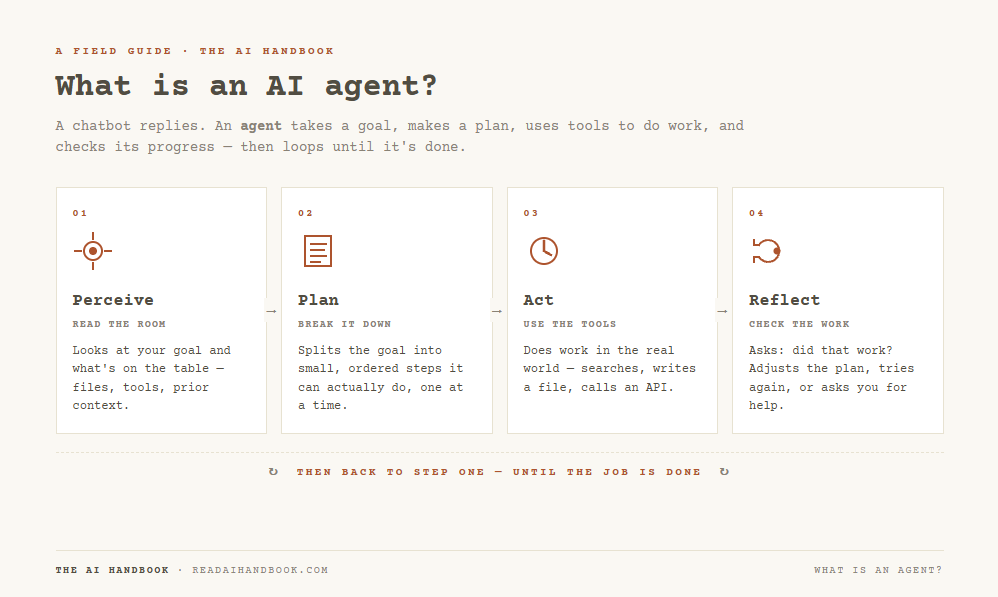
An agent is an AI tool that connects multiple softwares and does work across them. You tell it the goal. It figures out the steps. It talks to your email, your calendar, your CRM, your spreadsheet, your browser, all in one continuous job.
The version you’ve had for the last six months was clunky.
Chain the tools yourself. Define every step. Debug the wiring when something broke at 2 AM. Most non-technical people gave up around step three.
Hyperagent collapses that. You describe what you want in plain English. It picks the tools. You refine the thread until the output is right.
That’s the entire shift.
Why This Wins for Non-Technical People
Four things separate Hyperagent from every no-code agent builder that came before.
Triggers and scheduling are built in. Most agent tools let you build cool one-off threads. Hyperagent lets you deploy one. Threads turn into agents that run on a schedule or sit in a Slack channel and act when triggered. Nobody has to be at the keyboard.
Skills are reusable across agents. Build a “weekly status report” skill once. Every agent you deploy after that can use it. The work compounds the longer you use it.
Performance scoring on every run. Every time the agent runs, it gets graded against criteria you set. You see the agent drifting before your client does. This is what makes the move from cute toy to actual business product.
Apps connect through OAuth. You hook up your tools the same way you log into anything else. The security stuff that scared you off OpenClaw is handled at the platform level. No API keys floating in plain text on your desktop.
That third one is the real unlock. It’s the difference between a free demo and a $5,000 retainer.
Build Six For Yourself First
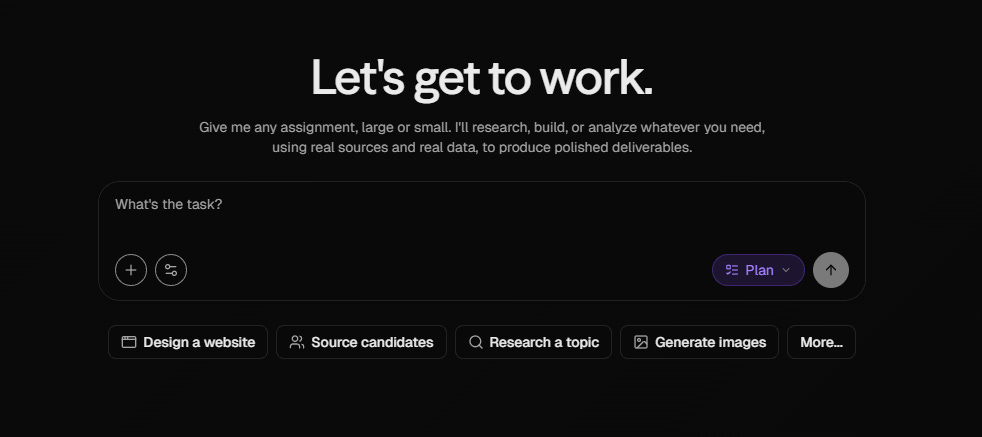
Build for yourself before you sell. You learn the tool faster, your agents get sharper, and you have proof when you do start charging.
Pick one of these. Start there.
Morning briefing agent. Scheduled for 6 AM before you sit down. Pulls overnight email, today’s calendar, Slack mentions, news in your industry. Drops a summary in your inbox or a Slack DM. Replaces 40 minutes of context-gathering you do anyway.
Inbox triage agent. Sits on Gmail. Sorts incoming mail into needs-reply, FYI, junk, opportunities. Drafts responses for the needs-reply pile. You read and send.
Meeting prep agent. Triggers when a calendar invite gets accepted. Researches the person, pulls past email threads with them, checks their company for recent news, builds a one-page brief. Lands in your inbox an hour before the meeting starts.
Weekly review agent. Runs Friday afternoon. Pulls everything you completed that week from your tools, summarizes the wins, flags what’s slipping, drafts a Monday status update for your team or your boss.
Content repurposing agent. Feed it a long-form piece. It generates the LinkedIn post, the X thread, the Substack note, the newsletter blurb. Train it once on your voice and it nails it. Hyperagent’s Skills feature was built for exactly this.
Research agent. Give it a topic. It searches the web, pulls reports, scrapes the relevant pages, compiles findings into a doc. Replaces an afternoon of tab-hopping.
Pick ONE. Don’t try to ship all six in your first run at this.
The first one you build will be ugly. Build the second one and you’ll see why.
Three Agents You Can Sell to Clients
Once you’ve built two or three for yourself, the leap to client work is small. The agents change with the client. The underlying pattern stays the same.
These three already have buyers waiting.
1. Speed-to-Lead Agent
Inbound lead lands. A form fill, a chat widget message, an email to the sales address. Within 30 seconds the agent has researched the lead on LinkedIn, written a personalized first response in the rep’s voice, sent it, and dropped a calendar booking link. The rep gets a Slack ping with the full brief.
The math here is simple. Leads contacted within five minutes close at much higher rates than leads contacted an hour later. Most small businesses respond in days. The buyer has already moved on. An agent does it in under a minute, every time, including 2 AM Sunday.
Who buys it: any business running paid ads to a website form. Real estate agents. Coaches. Agencies. Local services. Setup fee plus monthly retainer. Easy sell.
2. Inbound Email Triage for Service Businesses
Plumbers, lawyers, accountants, dentists, HVAC companies. The agent reads inbound email, categorizes by intent (new client, billing question, scheduling, complaint), drafts the response, routes to the right person on the team. Owner reviews and sends.
Who buys it: any small service business where the owner is also the inbox manager. They are drowning. Save them six hours a week and they keep you on retainer forever.
3. Customer Support Draft Agent
Sits on the support inbox. Reads incoming tickets. Searches the company’s knowledge base. Drafts a response with the relevant links and articles already pulled in. Support rep edits and sends in a fraction of the time.
Who buys it: any company with a support team handling more than 50 tickets a week. SaaS companies, e-commerce shops, agencies running retainer clients, anyone with a help desk. The rep still sends. They just send three times faster.
Pricing on all three is in the same range. Setup fee between $1,500 and $3,500. Monthly retainer for monitoring, tuning, and adding skills as the client’s needs grow.
The performance scoring built into Hyperagent is what keeps clients paying after month two. Both of you see the agent working. You also see when it starts drifting, before they do.
Why Now?
Don’t get attached to Hyperagent specifically. Get attached to the pattern.
Threads becoming agents is the model now. Whether it’s Hyperagent, OpenClaw, or whatever ships next, this is how non-technical people will build software from here on out.
The companies winning this category are the ones nailing the deployment layer. Not the prompt UX. The deployment.
If you’ve been blocked on agents because the tooling looked like a Computer Science 301 final, that excuse is gone.
Where to Start
Open Hyperagent and grab your $1,000 in starter credits.
Pick the morning briefing agent.
Connect Gmail and Calendar.
Build it. Run it overnight. See what it drops in your inbox in the morning.
The first one will be janky. Build it anyway. By agent three you’ll know enough to charge for the next one.
You’ve watched the tutorials. You’ve read the threads. This is the one where you stop watching and start building.
That's the free version. The paid side has the implementation: the prompts I run daily, complete operator systems with step-by-step builds, and every previous issue with its templates and frameworks. Plus direct access. I read every reply. Upgrade to paid if you want the HOW behind the WHY.
Ryan
Great article, thank you. What are your thoughts on what happened with Claude at PocketOS?